
Free · Independent Seniors Toolkit
One free place for your books, tools and checklists
Everything you have from us in one free, tidy list: the Stay Safe books, the Health Record, the Carer Workbench and the free checklists.
- Open everything from one icon, and pick up where you left off
- Keep going even when the internet doesn’t
- Free, with no account to create and nothing to install from an app store
Free to use · One icon for everything · Works without the internet · Backs itself up
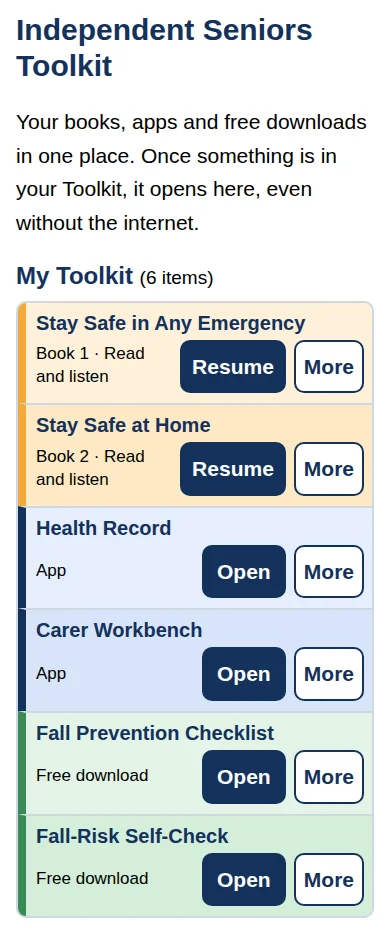
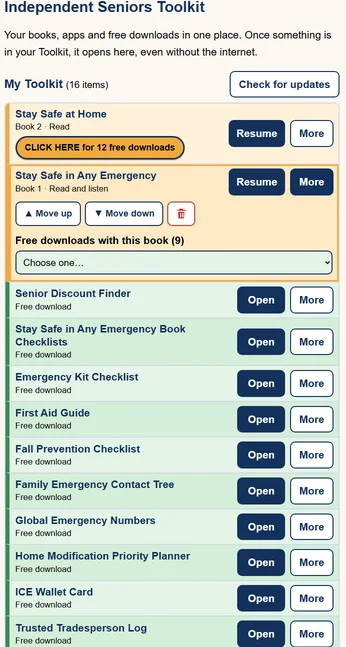
See it in use
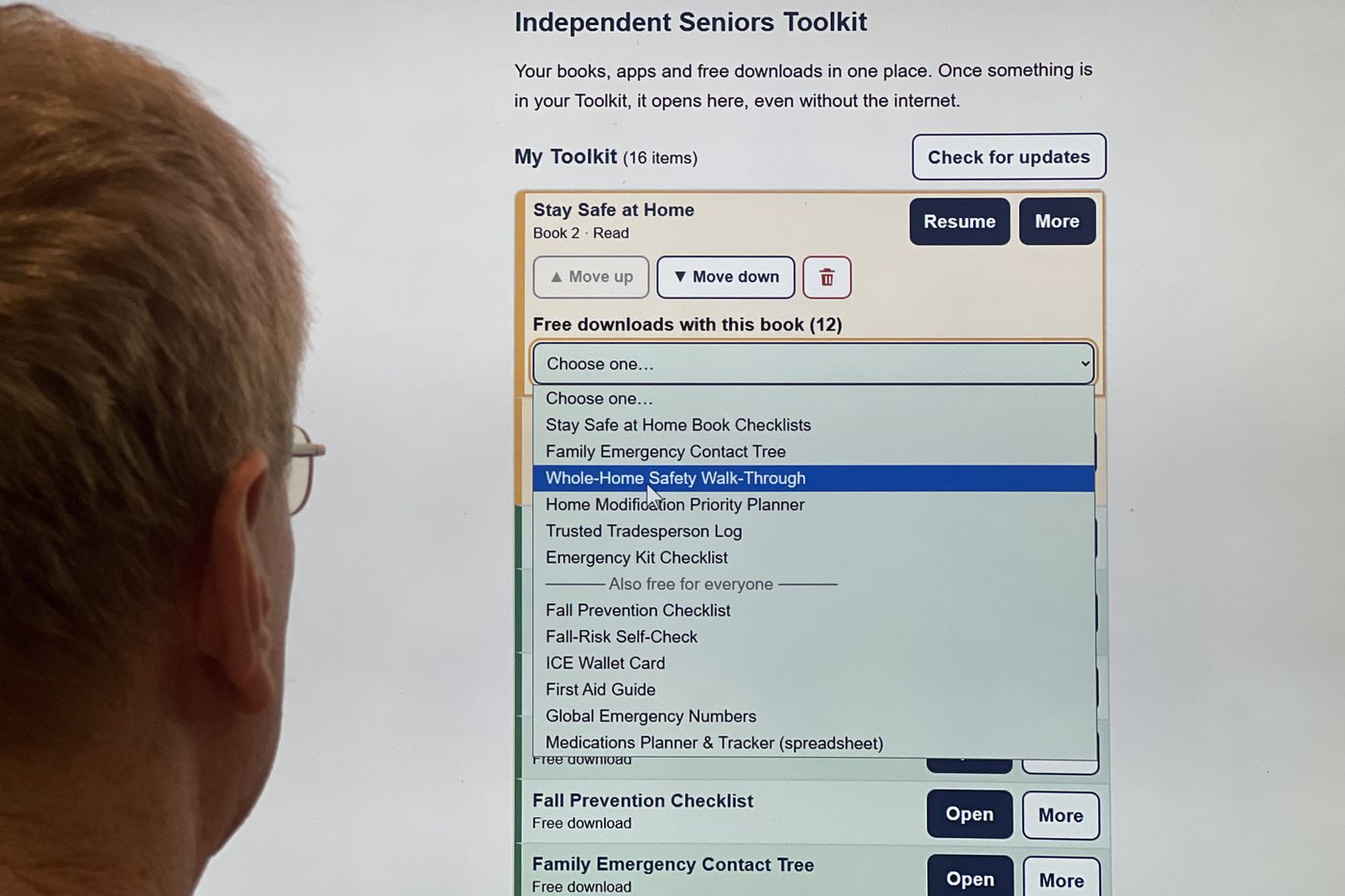
Ed’s own Toolkit, with Stay Safe at Home at the top of his list and its free downloads open, ready to choose one.
Is the Toolkit free?
You can start using the Toolkit today without buying anything.
- The Toolkit itself, with its updates and its backup.
- 7 free checklists, planners and tools, from a Fall-Risk Self-Check to the Senior Discount Finder. See them all on Free Resources.
- A free chapter of each Stay Safe book that’s out now, to read before you decide.
- A free 30-day trial of the Health Record and the Carer Workbench, with everything included.
Why one Toolkit makes life easier
Fewer icons to remember, nothing to keep track of, and help that travels with you.
One place, one icon
Books, tools and free downloads sit in one list, in the order you choose. Put the Toolkit on your Home Screen or computer once, and everything is one tap away. Prefer a separate icon for a tool? Each one can have its own as well.
Updates when you choose
When there is a new version of something in your Toolkit, or the latest edition of one of your books, Check for updates tells you what has changed. Nothing changes until you choose: tick what you want and update it with a click. Your reading place, ticks and bookmarks stay just as they were.
Works without the internet
Once something is in your Toolkit, a copy is kept on your device, so it opens at home, on vacation or in a waiting room with no signal. If your edition includes listening, you can keep the narration on the device too.
One backup for everything
The Toolkit backs itself up whenever something changes: your list, your text settings, your place, ticks and bookmarks in each book, and your records from the Health Record, the Carer Workbench and the free checklists. Your records are locked with your Health Record passkey phrase, typed once on each device. On a computer with Chrome or Edge it keeps one file up to date in a folder you choose.
One step to a new device
On the new phone, tablet or computer, choose Restore my Toolkit, pick your backup file and type your passkey phrase. Your list, your reading places and your records all come back together. Add each book with its code once, activate your tools with the same email address and code, and you carry on.
Easy on the eyes
Large, clear text in five sizes, a dyslexia-friendly lettering, and White, Cream or Night pages.
Book audio built in
If your book includes the audio (the Read and Listen edition), press Listen and the author reads it to you. Slower and Faster let you slow the reading down or speed it up. The words being read are highlighted, and the page scrolls up by itself, so you never lose your place.
Try before you buy
Read a free chapter of each Stay Safe book that’s out now, in the Toolkit, before you decide. The free checklists and planners are free to add, with no sign-up.
Yours, on your device
Your reading, ticks, bookmarks and records stay on your own device. Adding a book checks its code once with our activation service, and that’s all. We do not use cookies at any time.
Getting started takes a few minutes
Open the Toolkit
Go to the Independent Seniors Toolkit (opens in a new tab) in your web browser. There’s nothing to install from an app store.
Add what you have
Choose a book and type the email address and book code from your purchase email. Add the Health Record, the Carer Workbench and any free checklists the same way.
Put it on your Home Screen
Press Set up easy access and follow the steps for your phone, tablet or computer.
Let it look after itself
Choose where the backup goes, and the Toolkit keeps it up to date. Now and then, press Check for updates to see what is new, and update what you choose.
The same list on a computer
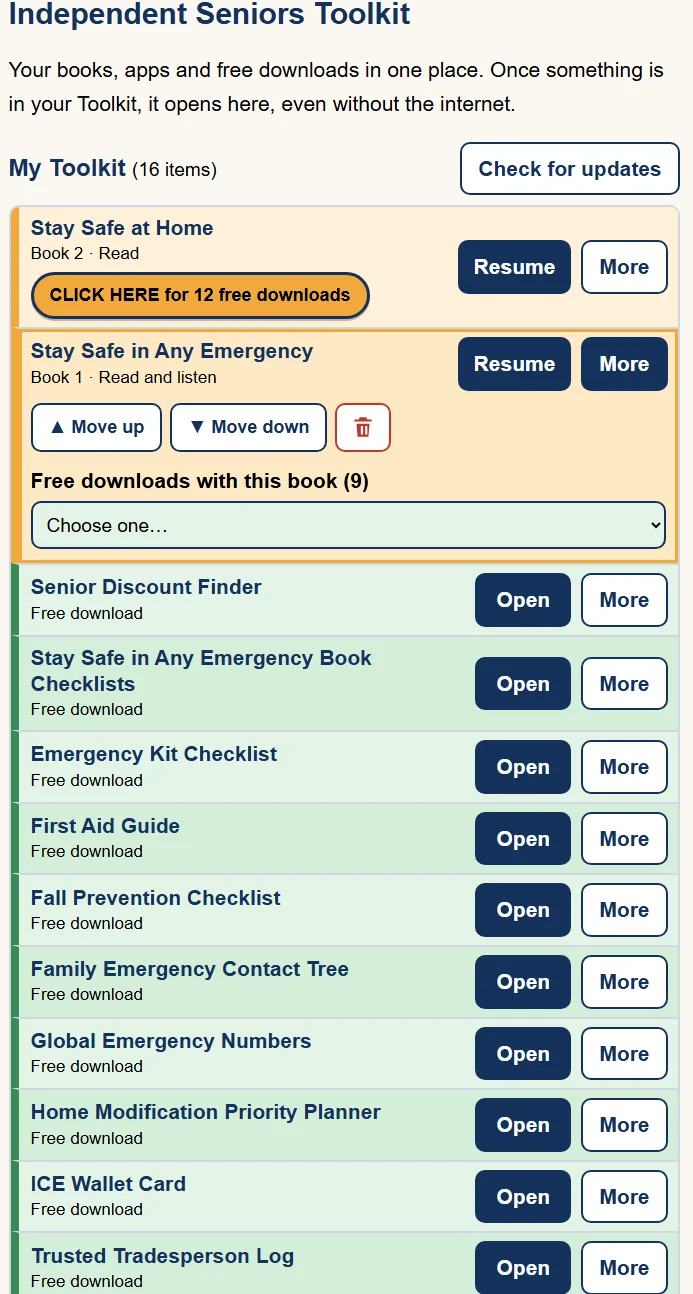
Every item is one line: its name, what it is, and an Open button. More holds the rest: move it up or down, give it its own icon, its free downloads, or remove it.
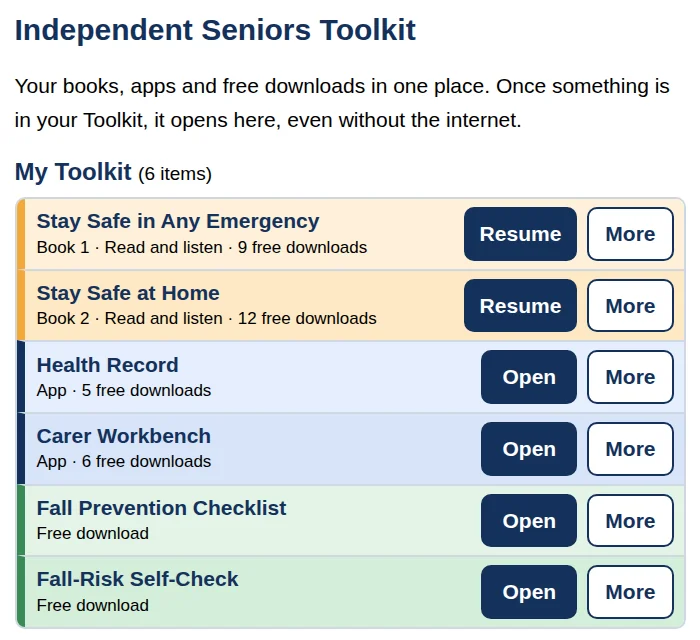
A book and its downloads, one tap away
Here is a real Toolkit with 16 items. Press More on a book and its downloads are in one list, Free downloads with this book: choose one to add it to your Toolkit. More also moves an item up or down, or removes it. Each download you add gets its own line, with Open.
What devices does it work on?
The Independent Seniors Toolkit runs in your web browser, so there’s nothing to install from an app store. Use an up-to-date browser such as Chrome, Edge, Safari or Firefox.
- Windows PCs and laptops
- Mac computers and laptops
- iPhone and iPad
- Samsung and other Android phones and tablets
The free printable companions work the same way, in the same browsers. Your records stay in the browser on the device you use, and you can move them to another device whenever you like, for example to a tablet before a trip.
Questions people ask
Does the Toolkit cost anything?
No. The Toolkit itself is free. You buy the books and everyday tools you want, and the free checklists and planners are free.
Do I have to use the Toolkit?
Only for the eBooks and audiobooks: the Toolkit is their free reader, so that is where they open. The tools and free checklists can also be opened on their own, from their own addresses. And if you prefer paper, the Stay Safe books on sale now also come as paperbacks, which need no Toolkit at all.
Do I need to create an account?
No. There is no account to create and nothing to sign in to. When you add a book or one of our tools, you type the email address and code from your purchase email once. The one thing to remember is the passkey phrase that locks your backup, and only you know it.
Do I need the internet?
Only to add something new and to receive updates. After that, everything in your Toolkit opens without the internet.
Why do I need backups?
Because your records are kept only in the web browser on your device. We never receive them, so we can't recover them for you. If the device is lost, stolen or breaks, or the browser's data is cleared, a backup is the only way to get your records back. The Toolkit backs itself up whenever something changes, to the folder you choose. Choose a folder that is kept somewhere other than this device, such as OneDrive, iCloud or Google Drive, or copy your newest backup off the device now and then. Your backup also moves everything to a new device in one step. How backups work, and which to keep.
What if I lose my phone, or change computers?
On the new device, choose Restore my Toolkit, pick your newest backup file and type your passkey phrase. Your list, reading places and records from your tools come back together. Then add each book with its code once, and activate your tools with the same email address and code.
Can I still open a tool without the Toolkit?
Yes. Each tool and free download keeps its own address, so it can be bookmarked or given its own icon and opened directly. We recommend running everything inside the Toolkit, though: a tool run on its own, outside the Toolkit (for example from its own iPhone Home Screen icon), keeps its records separately, so you would have to move it separately with its own backup.
Is my health information safe in the backup?
Your records from your tools are locked in the backup file with your Health Record passkey phrase (or, without a Health Record, a backup phrase you choose). Without the phrase nobody can read them, and the phrase itself is never kept anywhere. Activations and book codes are never in the backup.
Where are my records kept?
On your own device, in your web browser. The Toolkit and the tools never send your reading, ticks, notes or health records to us.