
Health Record · Medications
Your medicines, set up once and checked off every day
Medicines, vitamins and supplements in one plan. Fill your pill box from photos, tick each dose as you take it, and see at a glance what’s overdue today. When the week ends, one button starts the next. No paper forms to write out, ever.
Kept on your device · No tracking, ever · Large print · Works offline once activated
See it in use
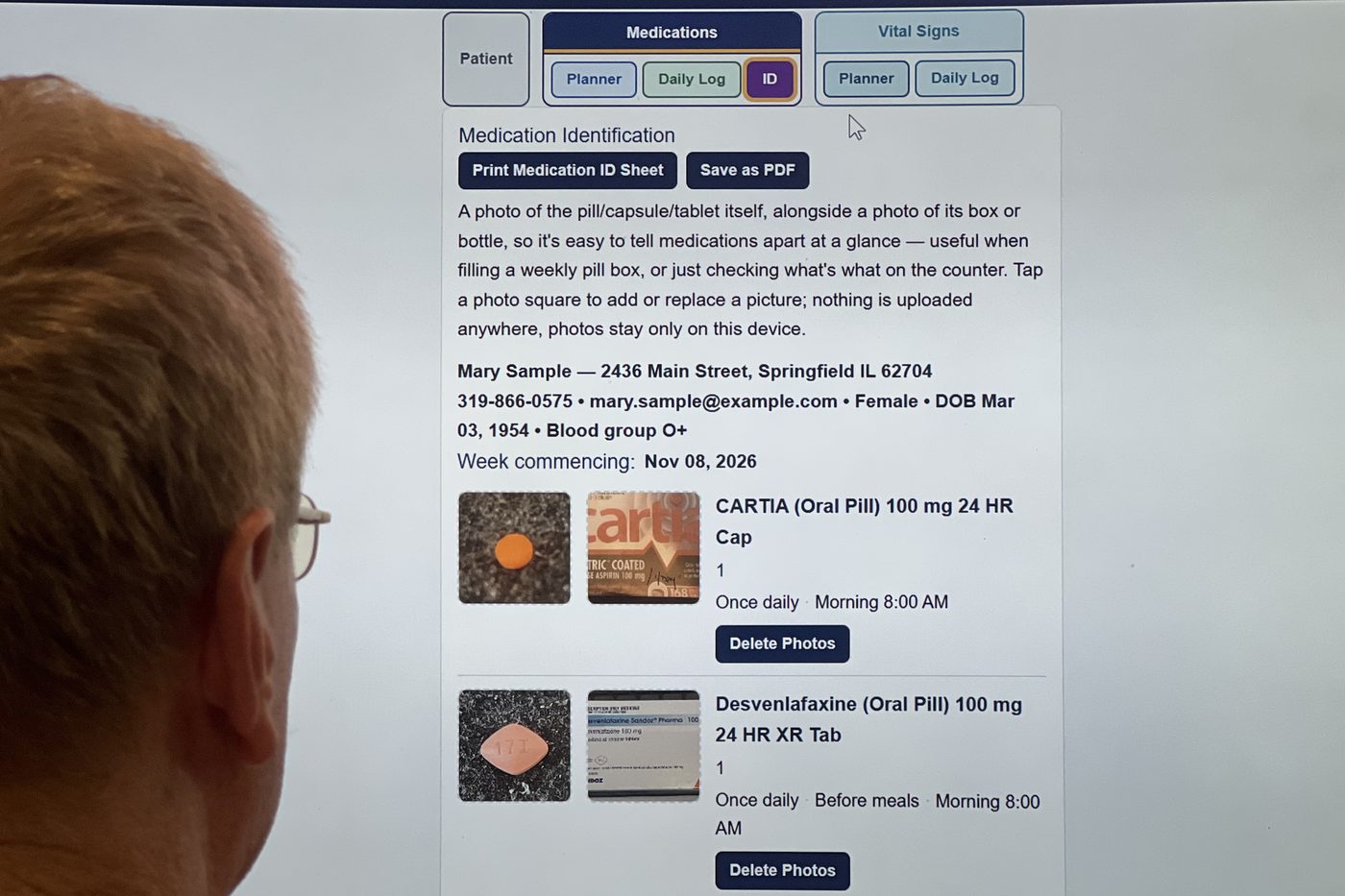
Ed checking the Medication ID page: a photo of each pill beside a photo of its box, so it’s easy to fill a pill box correctly.
Why it’s easier than a paper chart
- Set up once. Medicines, times and doses carry forward every week.
- No forms to write out. The plan, the weekly log and the fridge sheet are made for you.
- Fewer missed doses go unnoticed. Anything overdue today is amber, on screen.
- Fill your pill box accurately. A photo of each pill beside its box, and a color for each day.
- A new week is one button. Nothing to fill in.
- On screen or on the fridge. Use it on your device, or print it.
- Changes are noted for you. Change a dose mid-week and the Health Record writes a dated note.
- Your carer sees your week. One locked report, from your own email.
1. Set up once: by you, or by your carer
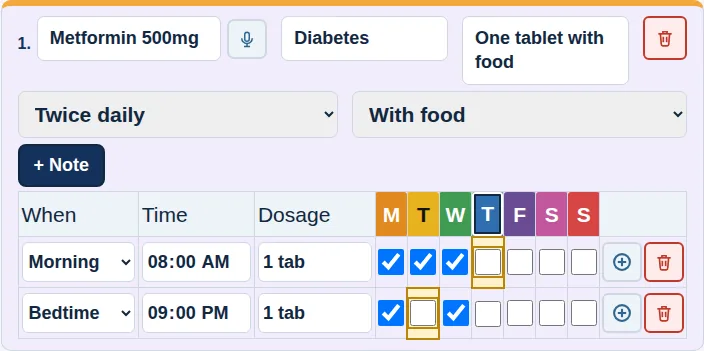
Open Medications → Planner and press Add Medication for each medicine, vitamin, supplement or pain reliever, including the ones you take only as needed.
- Type three letters and pick the name from the official U.S. medicine list, so the spelling is right. Or tap the microphone and say it.
- Add what it’s for, how to take it, how often, and each time of day with its dose. Doses are kept short and clear: 1 tab, 2 caps, 5 mL.
- That’s it. Next week, and every week after, it’s already there.
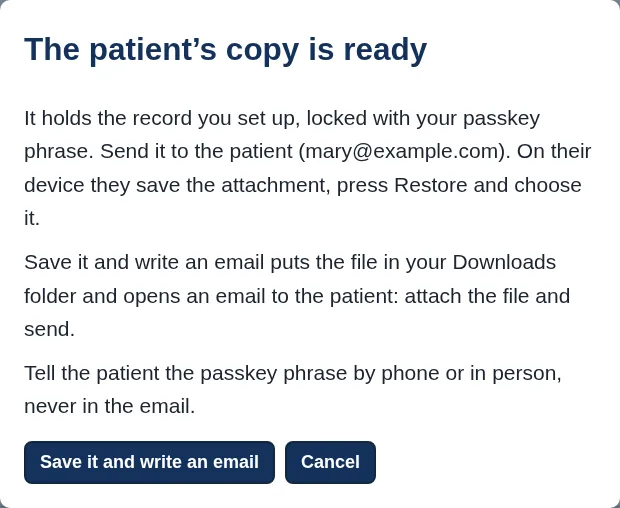
Rather someone else did it? Your carer can set up your whole record on their own computer, with the carer version of the Health Record that comes with the Carer Workbench, and send you a locked copy. You save it and press Restore.
2. Fill your pill box with confidence
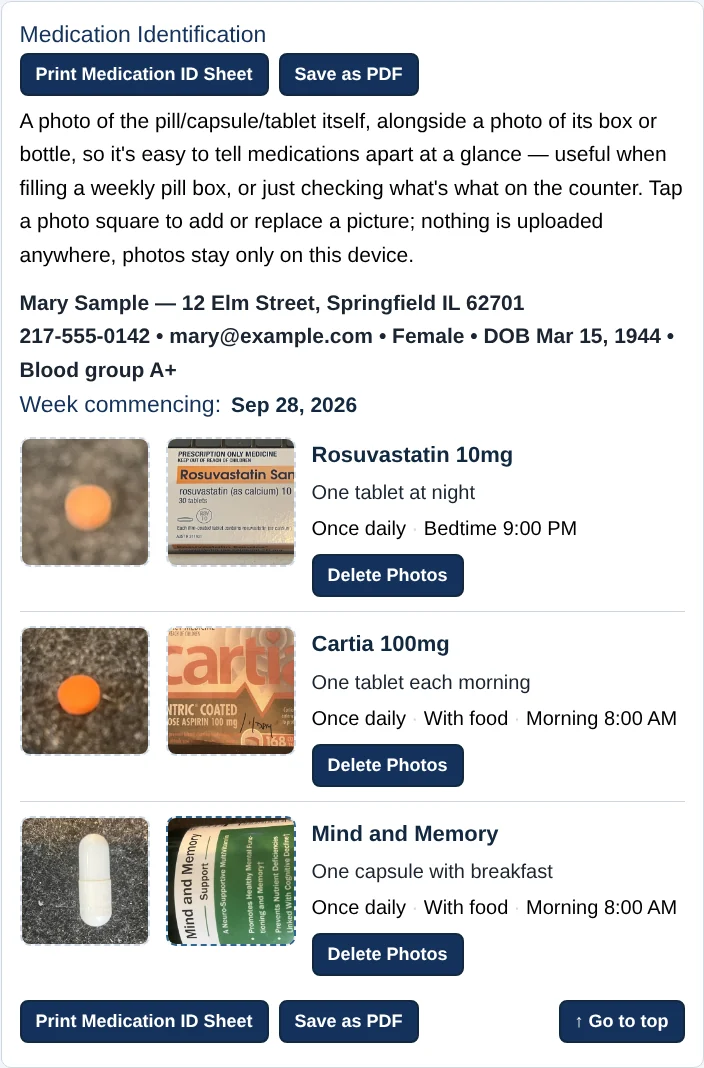
On the ID page, add a photo of each pill beside a photo of its box or bottle. When you fill your weekly pill box, you can see at a glance which tablet is which, even when two look alike.
Give each day its own color to match your pill box. Today’s color shows in a banner at the top of the page and on the day’s column.
Print the Medication ID Sheet to keep beside the pill box. The photos stay on your device; nothing is uploaded.

3. On screen, or on the fridge
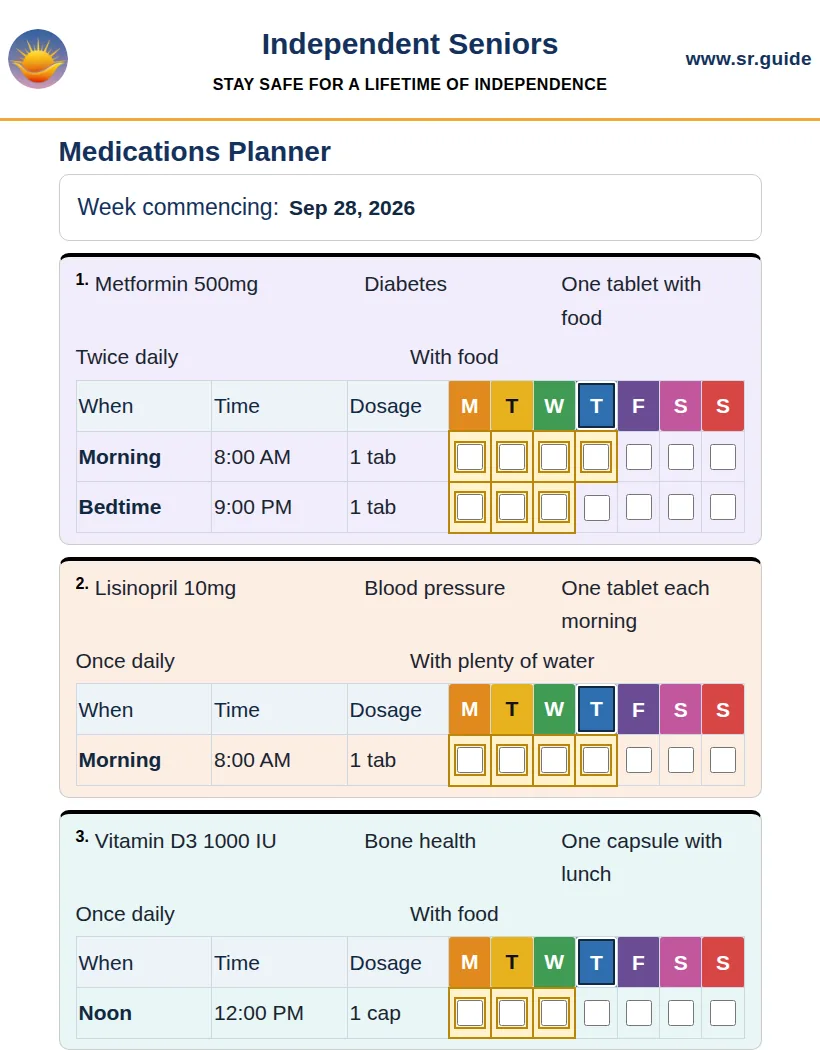
Use it on your computer, tablet or phone, or print this week’s sheets. Every printout comes from the same plan, so the fridge sheet, the pill-box sheet and your doctor’s copy always agree. No copying out by hand.
4. Each day: tick, and see what’s overdue
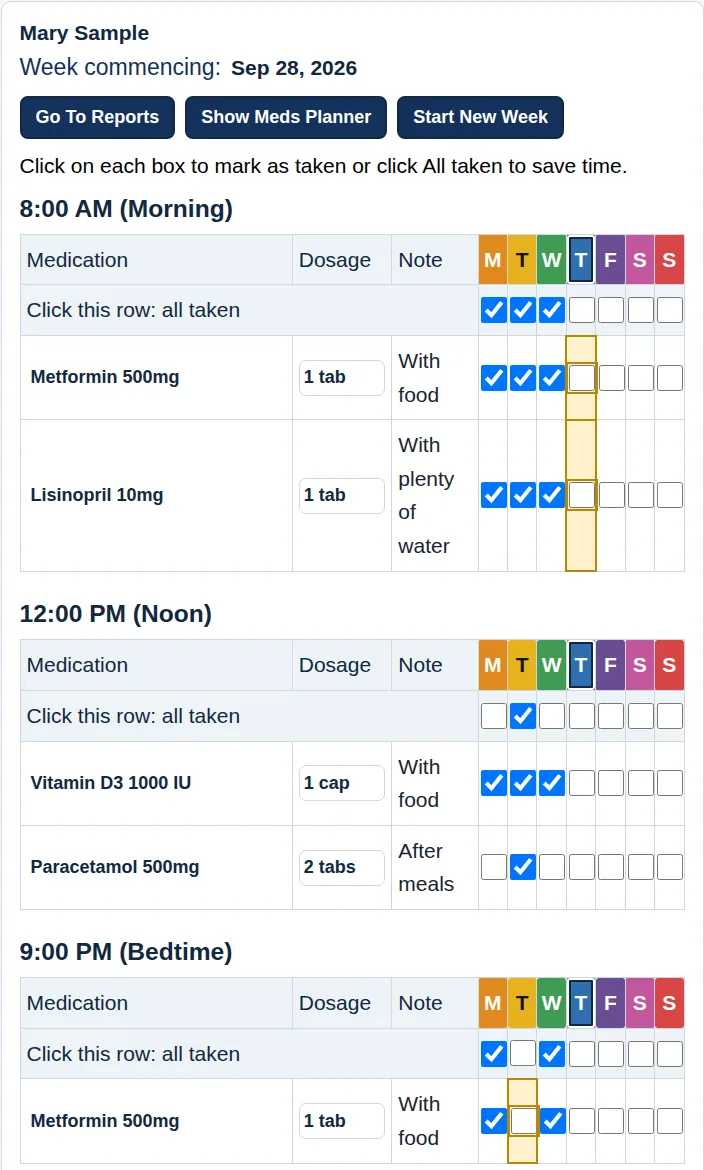
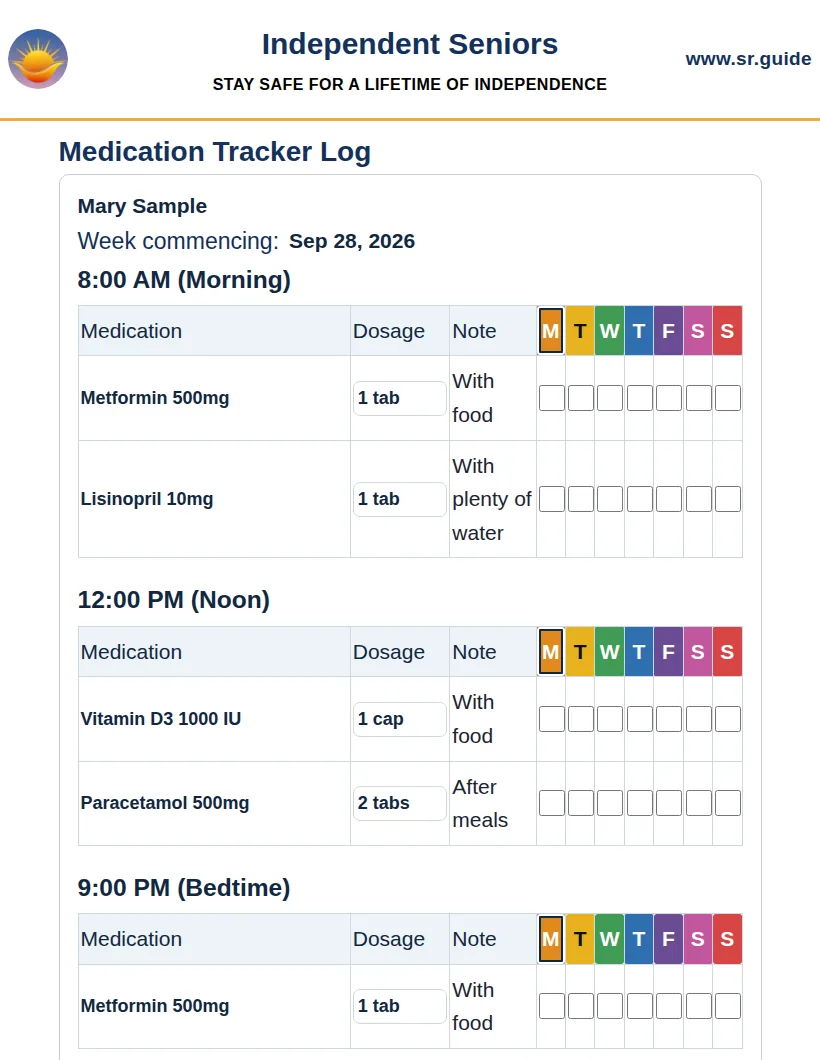
Open the Daily Log. Doses are grouped by time of day, and today’s column is outlined. Tick each dose as you take it, or tick the whole row with Click this row: all taken.
Amber means overdue. When a dose’s time has passed and it isn’t ticked, its box turns amber. A missed tablet is noticed the same day, not at the end of the week, while there’s still time to ask your pharmacist or doctor what to do.
Medicines taken only as needed, weekly or on alternate days never turn amber: just tick them when you take them. If you didn’t take a dose, leave it unticked. An honest record is exactly what your carer and doctor want to see.
5. Notes for your carer and doctor
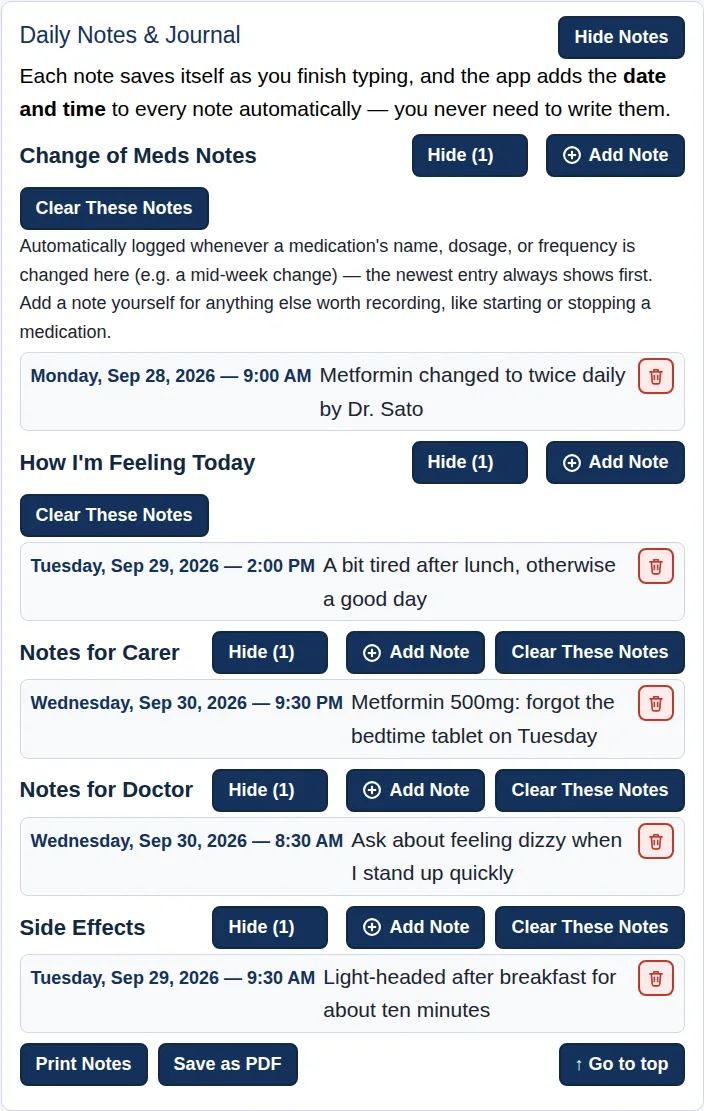
The ticks show what you took. Notes say what the ticks can’t. Choose the kind of note and press Add Note:
- How I’m Feeling Today
- Side Effects: flagged to your carer as important
- Notes for Carer and Notes for Doctor, such as a question to ask at your next appointment
- Change of Meds Notes: written for you automatically when a medicine’s name, dose or frequency changes
The date and time are added for you. Every note in the week goes to your carer in the Carer Report.
6. End of the week: two presses
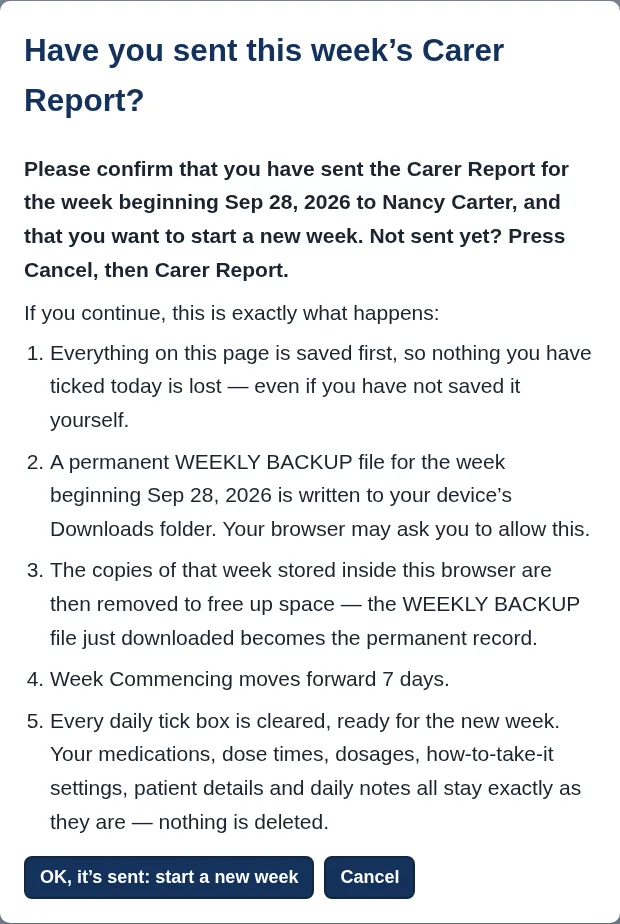
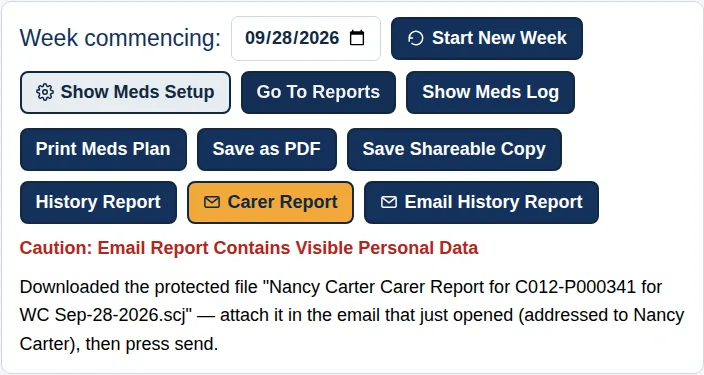
Carer Report saves one locked file of your week (every dose, reading and note) and opens an email addressed to your carer. Attach the file and press Send.
Start New Week first checks you’ve sent your carer this week’s report (if you have a carer), tells you exactly what it will do, then on OK:
- saves a WEEKLY BACKUP of the finished week for your history;
- clears the ticks and moves the week on seven days;
- keeps your medicines, times, doses, details and notes exactly as they are.
Nothing to fill in. Your new week is ready to tick.
Questions people ask
Is the Health Record a medication tracker?
Yes. Its Medications page keeps your medicines, vitamins and supplements in one large-print weekly plan. You tick each dose as you take it, see what is overdue today in amber, and print the plan for the fridge. It opens in the web browser on your computer, tablet or phone, with nothing to install.
Will it remind me to take my medicines?
No. It doesn’t sound alarms or send reminders: you open it and look. Any dose whose time has passed without a tick turns amber, so a missed tablet is noticed the same day. Tip: many people set a daily alarm on their phone for each dose time, then open the Health Record to tick the dose and see at a glance what is still to take.
Does it help me fill my pill organizer?
Yes. Add a photo of each pill beside its box or bottle, give each day its own color to match your pill box, and print the Medication ID Sheet to keep beside it. The photos stay on your device.
Can my carer see if I missed a dose?
Yes, if you send it. Once a week the Carer Report saves one locked file of every dose, reading and note, and opens an email to your carer. In the Carer Workbench, a missed critical medicine is one of the first things your carer sees.
How much does it cost?
Try everything free for 30 days. Then the Medications edition is $2 a month or $9.99 a year, and Medications & Vital Signs is $3 a month or $14.99 a year. Licenses never renew by themselves. See the editions and prices.
Quick answers
Free, sourced answers to questions people ask about their medicines.
- How to keep a medication list: What to write down, how often to update it, and who to share it with.
- What to put on an emergency information sheet: One page that tells paramedics and family what they need to know.
Try it free for 30 days
Your free trial includes everything, so you can try every part before you choose. Then pick the edition that fits, by the month or the year.
Medications
$2 a month
or $9.99 a year
Plan your medicines, vitamins and supplements, fill your pill box from photos, tick each dose and print your plan for the fridge.
Vital Signs
$2 a month
or $9.99 a year
Plan your checks, such as blood pressure, glucose and weight, record each reading, and print trend charts and your monitoring plan.
Medications & Vital Signs
$3 a month
or $14.99 a year
Everything in both, in one record. One Carer Report covers your doses, readings and notes. Best value.
A family license, for your family members. Up to 3 family members in each installation (one web browser on one device), each with their own separate record. For more, use the same code in another browser or on another of your devices: for example, 6 family members on one computer, 3 in Chrome and 3 in Edge. Every edition includes your details, Who to call, your health history, Emergency Medical Info with the Emergency Sheet and Wallet Card, backups, the dyslexia-friendly view and the step-by-step User Guide (opens in a new tab). Plus 7 free printable companions: Family Emergency Contact Tree, Emergency Kit Checklist, Appointment Notes, Going Into Hospital Checklist, Fall Prevention Checklist, Fall-Risk Self-Check and First Aid Guide. See the list.
Prices in US dollars. Any tax is shown at checkout before you pay. Licenses never renew by themselves: the tool reminds you before yours ends, and its Buy a new subscription button brings you to our product page and pricing. Paid licenses bought directly from us have the same 30-day money-back guarantee as our books: see our Refund Policy.
Set up once. Tick each day. One button each week.
Try the Health Record free for 30 days.