
Health Record · Your details and emergency information
Everything someone needs to help you, in one place
Your details, your carer, your doctors and pharmacy, your health history and your emergency information. Type it once: it’s one press away on every page, and in every printout.
Kept on your device · No tracking, ever · Large print · Works offline once activated
See it in use
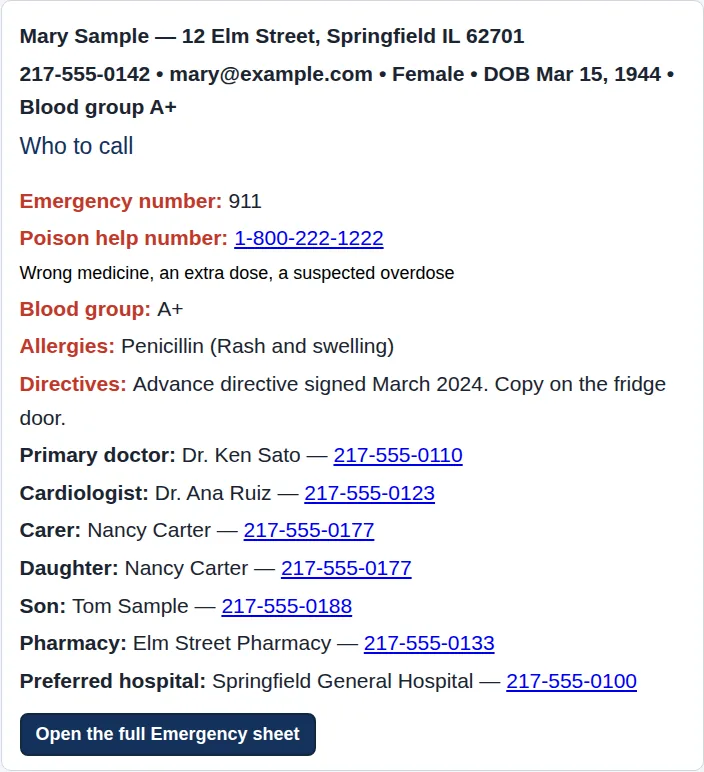
Ed filling in the Emergency Medical Information, such as allergies, implants and devices. Then one press prints the Emergency Sheet or the Wallet Card.
The buttons at the top of every page
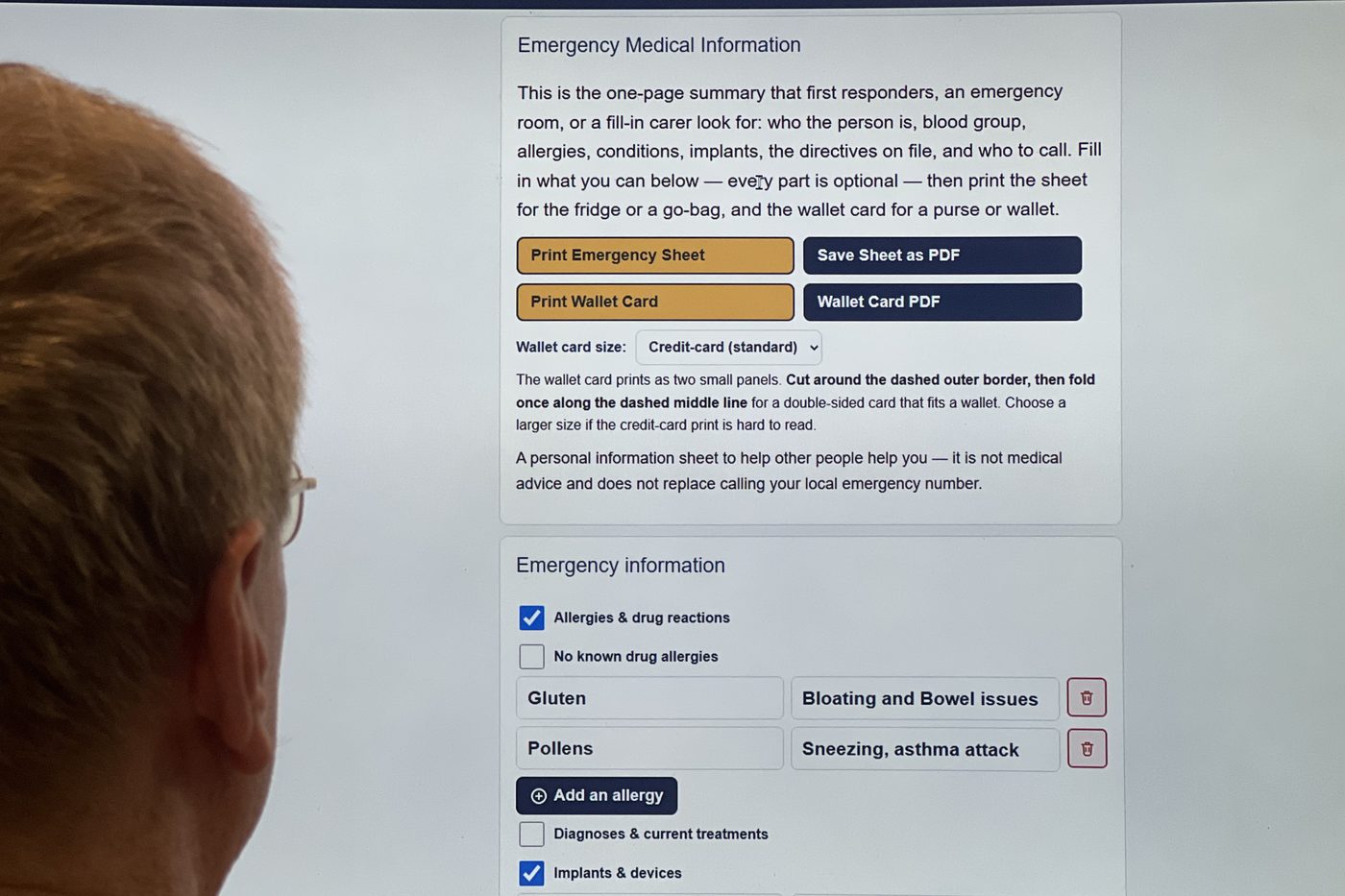
Wherever you are in the Health Record, the same buttons are at the top:
- WHO TO CALL IN EMERGENCY shows your emergency numbers, doctor, carer and family at once. On a phone, tap a number to call it. It always works, even if your license has ended.
- EMERGENCY MEDICAL INFO opens your Emergency Sheet and Wallet Card, ready to print.
- Backup saves a copy to your Downloads folder; Restore brings one back.
- Help opens the help for the page you’re on, and Setup holds your settings and the User Guide.

You, and the people who help you
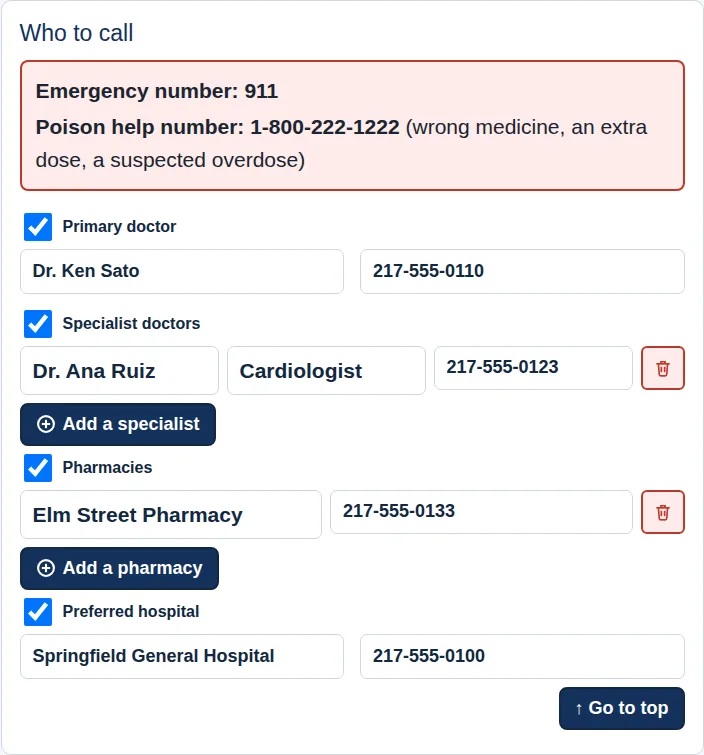
On the Patient page, type who the record is for: your name, address, phone, email, date of birth and blood group.
If someone looks after you, tick A carer or care team is involved and add their name, phone and email, and anyone else in the care team. Your carer gives you two short codes that make sure your weekly report reaches the right person.
You can also copy family members in on the weekly report, and have the report prepared for you automatically each time you start a new week.
Everything saves itself as you type, in your browser. Copies also go to your Downloads folder: a WEEKLY BACKUP each time you start a new week, an AUTO BACKUP when your medication plan changes, and a backup whenever you press Backup. In the unlikely event the browser loses its copy, choose Restore and pick the newest backup: you lose at most the changes made since then.
Who to call
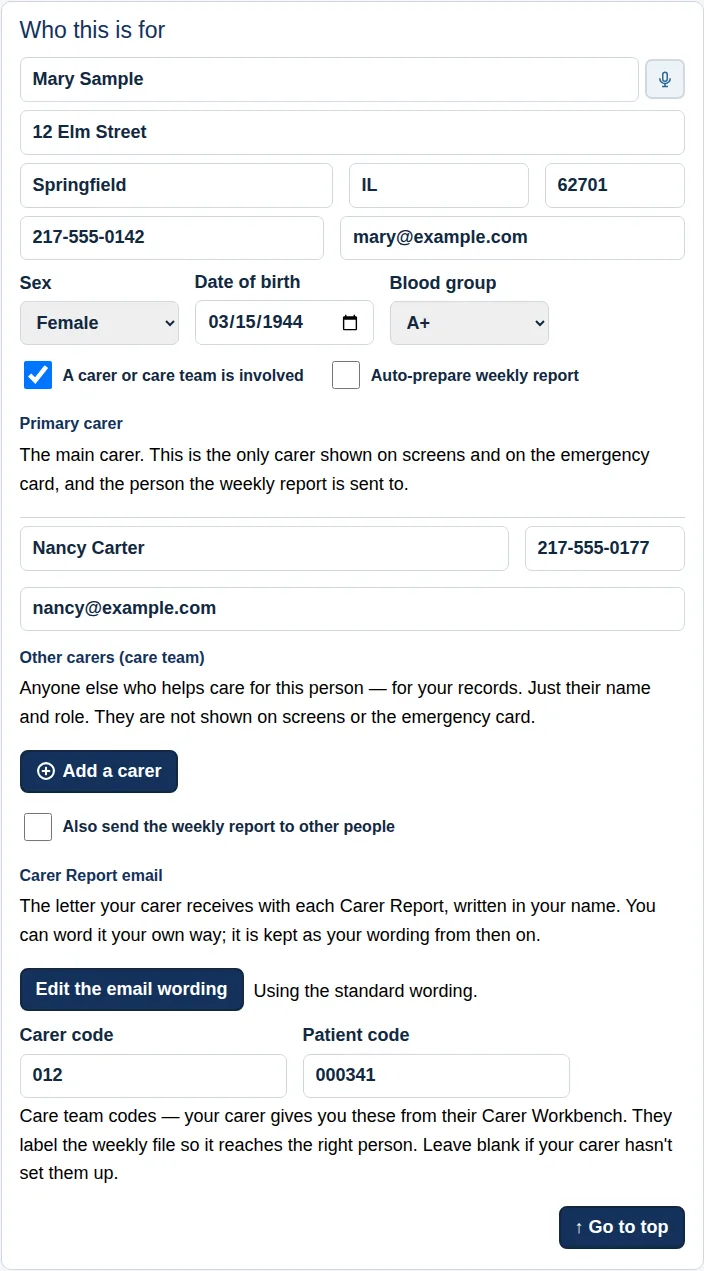
Your doctor, specialists, pharmacy and preferred hospital, each with a phone number, and your local emergency and poison help numbers.
Your primary carer doesn’t need typing again: the carer you add under A carer or care team is involved appears in WHO TO CALL IN EMERGENCY automatically, as in the picture at the top of this page.
These feed WHO TO CALL IN EMERGENCY, your Emergency Sheet and your Wallet Card, so when a number changes you change it once and every copy is up to date.
Your health history
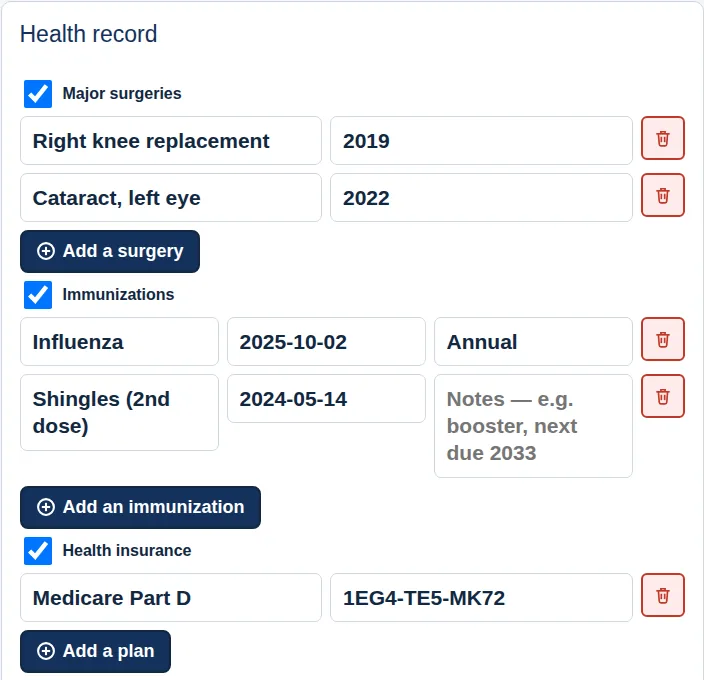
The details a new doctor, a hospital or a stand-in carer asks for, kept together:
- Allergies and what happens
- Conditions and their treatments
- Major surgeries, and implants or devices
- Immunizations, with dates and when the next is due
- Health insurance, advance directives, and your next medication review
Every part is optional: tick a box to open it, and leave out anything you’d rather not record.
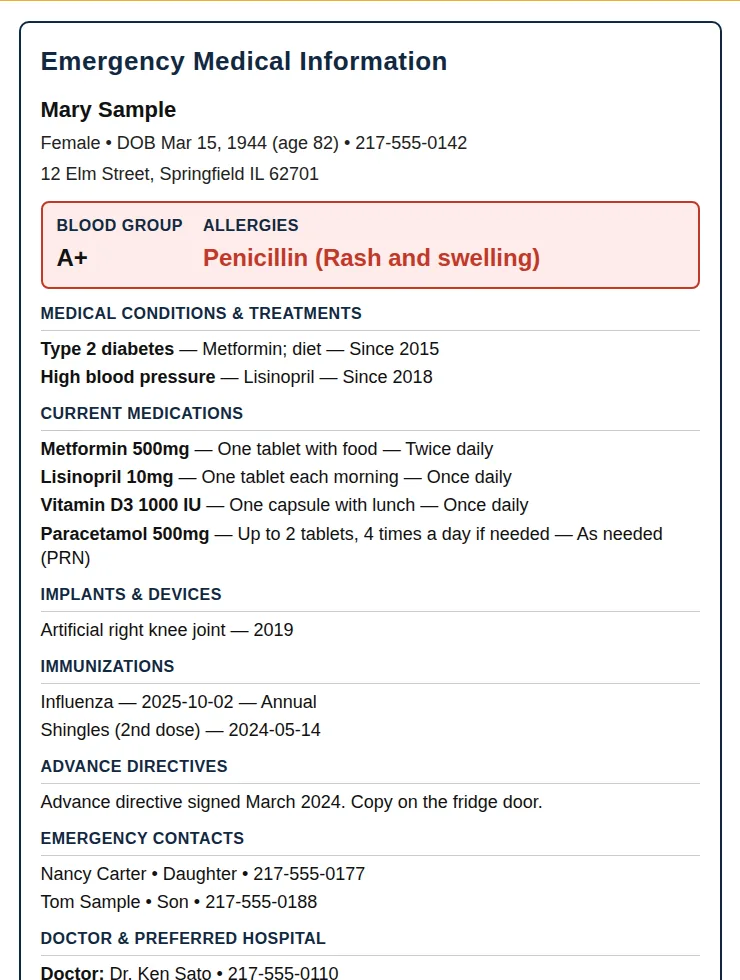
Emergency Medical Information
One page with what first responders, an emergency room or a fill-in carer look for: who you are, blood group, allergies, conditions, current medicines, implants, directives and who to call.
Print the Emergency Sheet for the fridge door or a go-bag, and the Wallet Card for your purse or wallet. Both are built from what you’ve already typed, so there’s nothing to fill in twice.
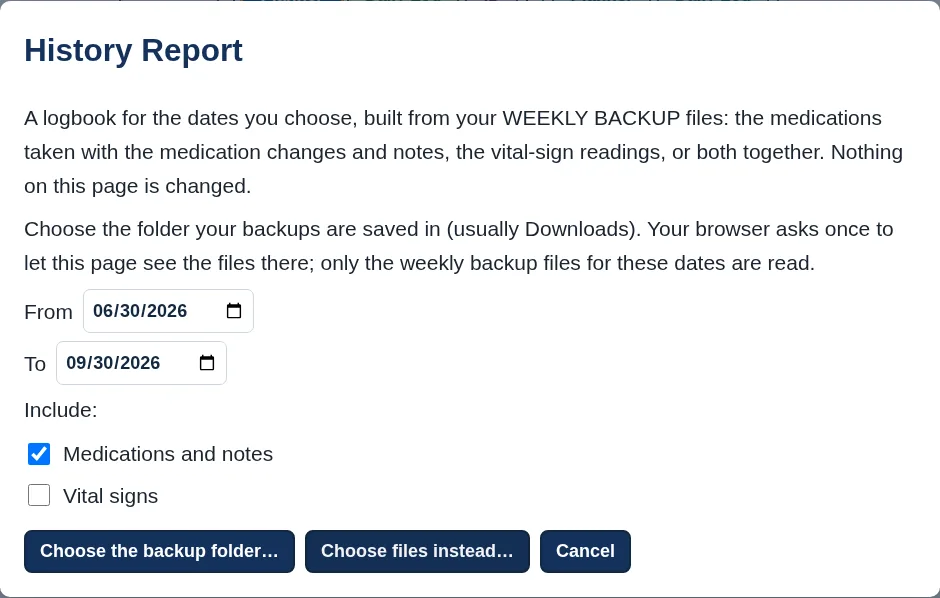
Your history, whenever you need it
Every Start New Week saves a WEEKLY BACKUP of the finished week. The History Report brings any span of those weeks together, your medicines and notes, your readings, or both, to print or save as a PDF for an appointment.
Changing computers, or going away with your tablet? Send my records to another device emails you a locked copy to open there.
Quick answers
Free, sourced answers to questions people ask about emergency information.
- What to put on an emergency information sheet: One page that tells paramedics and family what they need to know.
- How to keep a medication list: What to write down, how often to update it, and who to share it with.
Included in every edition
Your free trial includes everything, so you can try every part before you choose. Then pick the edition that fits, by the month or the year.
Medications
$2 a month
or $9.99 a year
Plan your medicines, vitamins and supplements, fill your pill box from photos, tick each dose and print your plan for the fridge.
Vital Signs
$2 a month
or $9.99 a year
Plan your checks, such as blood pressure, glucose and weight, record each reading, and print trend charts and your monitoring plan.
Medications & Vital Signs
$3 a month
or $14.99 a year
Everything in both, in one record. One Carer Report covers your doses, readings and notes. Best value.
A family license, for your family members. Up to 3 family members in each installation (one web browser on one device), each with their own separate record. For more, use the same code in another browser or on another of your devices: for example, 6 family members on one computer, 3 in Chrome and 3 in Edge. Every edition includes your details, Who to call, your health history, Emergency Medical Info with the Emergency Sheet and Wallet Card, backups, the dyslexia-friendly view and the step-by-step User Guide (opens in a new tab). Plus 7 free printable companions: Family Emergency Contact Tree, Emergency Kit Checklist, Appointment Notes, Going Into Hospital Checklist, Fall Prevention Checklist, Fall-Risk Self-Check and First Aid Guide. See the list.
Prices in US dollars. Any tax is shown at checkout before you pay. Licenses never renew by themselves: the tool reminds you before yours ends, and its Buy a new subscription button brings you to our product page and pricing. Paid licenses bought directly from us have the same 30-day money-back guarantee as our books: see our Refund Policy.
Ready when someone needs to help you
Try the Health Record free for 30 days.